
Connect Google Search Console to Seline
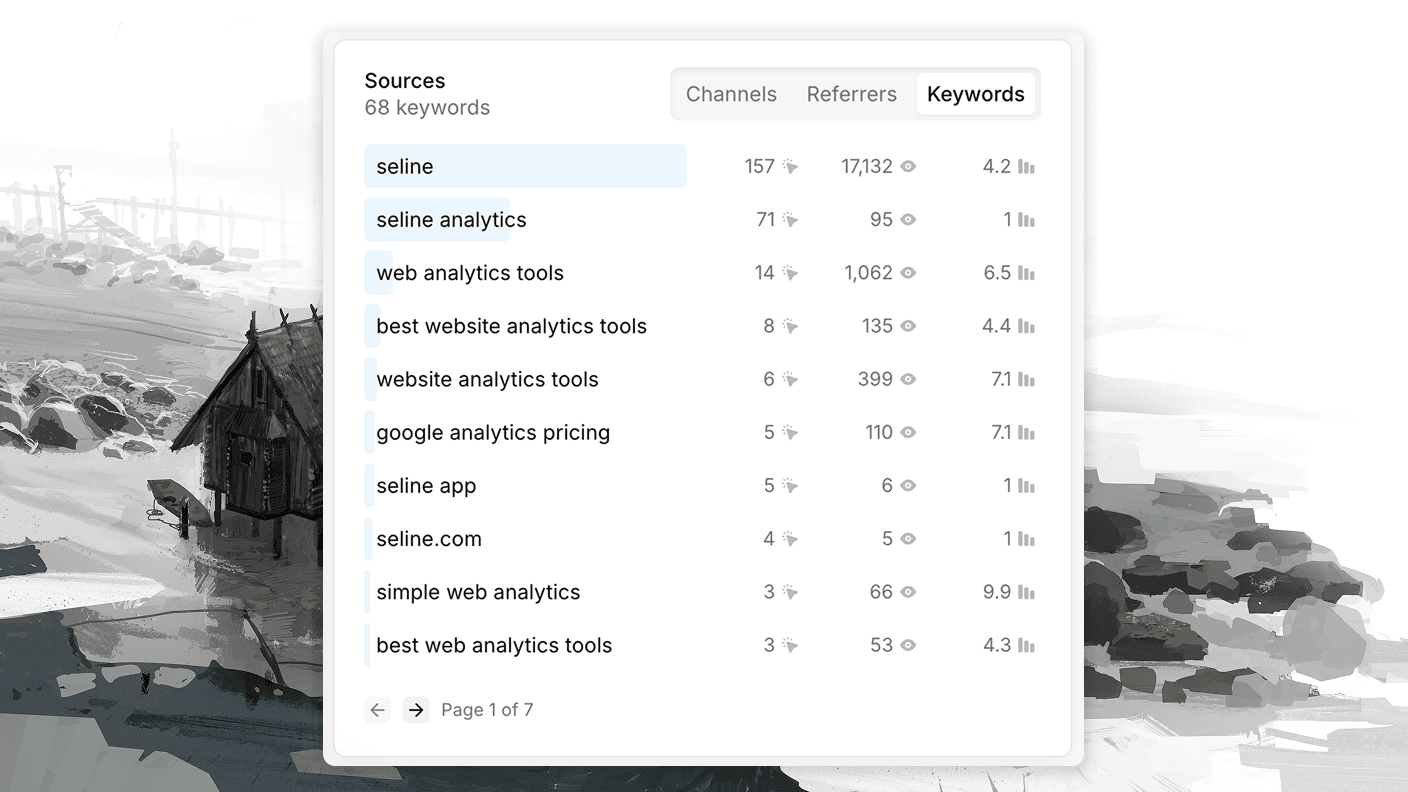
See which search keywords bring people to your website, right on your Seline dashboard - no need to jump between Seline and Search Console.
Connect your Google Search Console account to:
- Get a Keywords tab on your dashboard, next to referrers, UTMs, and channels.
- See clicks, impressions, and average position for every keyword.
- Filter keywords by date range, just like the rest of your analytics.
Search Console data is delayed by Google for about 2 days. You won't see keywords for today or yesterday - that's a Search Console limitation, not a sync issue.
How to connect Search Console
Step 1: Connect your Google account
- Go to your Seline integrations page at Settings → Integrations.
- Click Connect Search Console in the Google Search Console section.
- Sign in with the Google account that has access to your website's Search Console property.
We only request read-only access to your Search Console data - nothing else from your Google account.
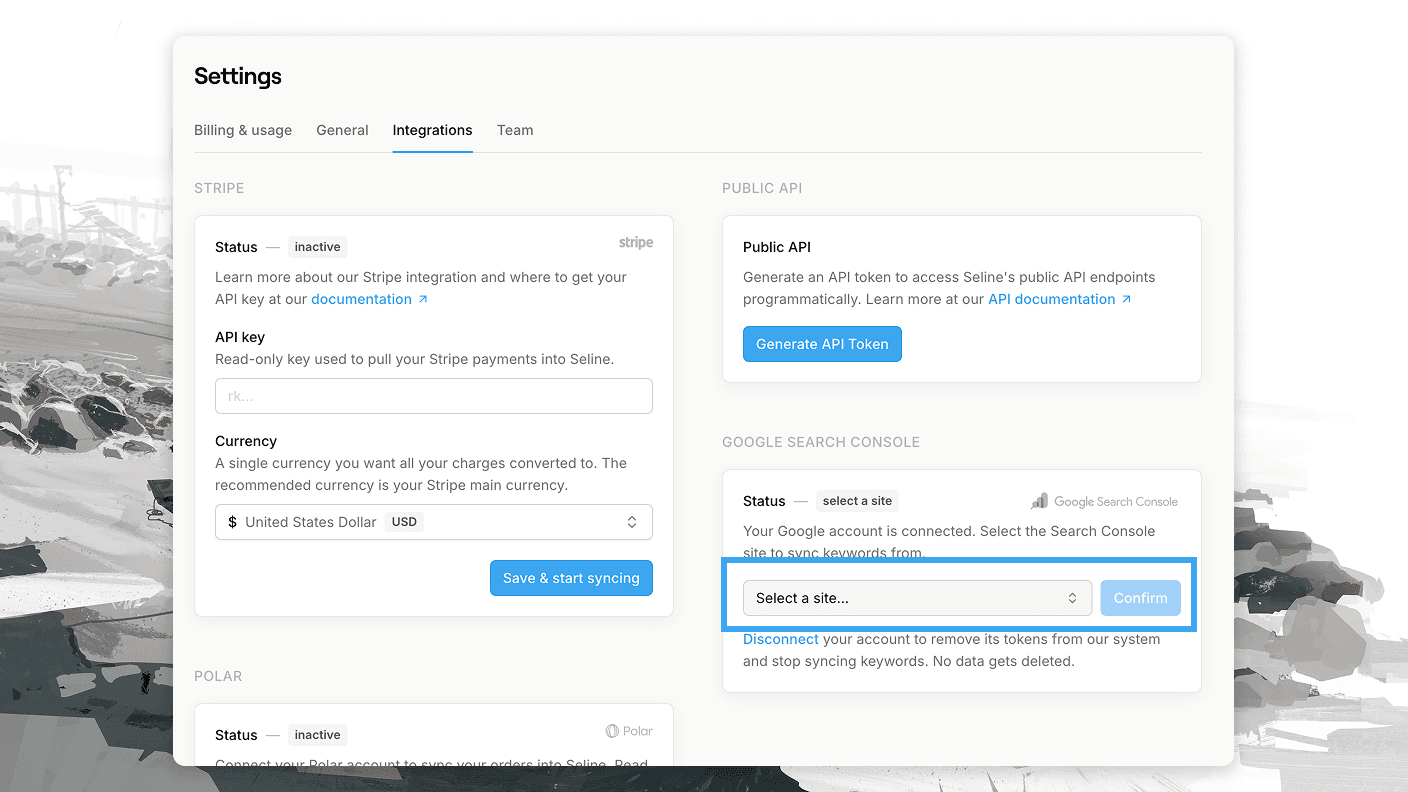
Step 2: Select a site
After connecting, pick the Search Console site to sync keywords from. Both URL-prefix (https://example.com/) and domain properties are supported.
That's it. Keywords sync will start within a few minutes, and you'll find them on your dashboard in the sources chart under the Keywords tab.
Limitations
These come from Google, not Seline, and every analytics tool that pulls Search Console data has them.
- Keywords can't be tied to pages. Google never passes the search query to your website. Not in the referrer, not in any URL parameter. That's why no tool can tell you "this visitor searched for X and landed on /pricing"; not Seline, not Google Analytics, not anyone else. Search Console only gives you aggregated keyword stats, separate from your pageviews and sessions.
- Keyword data is sampled. Google samples and anonymizes Search Console data. Low-volume and privacy-sensitive queries are hidden entirely. So click counts on the Keywords tab won't match your Google visit numbers in Seline. Expect the keyword totals to be lower.
Disconnecting
You can disconnect Search Console anytime from the integrations page. This removes your Google tokens from our system and stops the sync. Already synced keywords are not deleted.
Developers
- We use the official Search Console API with the read-only
webmasters.readonlyscope. - On the first sync, we pull keywords starting from your project's creation date.
- After that, we check for new data every minute and re-sync the last 3 days on each run, since Google keeps updating recent numbers.
- We only store keywords that have at least one click.