
Connect Polar to Seline for revenue analytics
Track your Polar revenue alongside your website analytics. See MRR trends, attribute payments to traffic sources, and view customer payment history on visitor profiles.
Connect your Polar account to:
- Get a revenue chart at your dashboard.
- See which referrers and UTMs bring you the most revenue - revenue attribution.
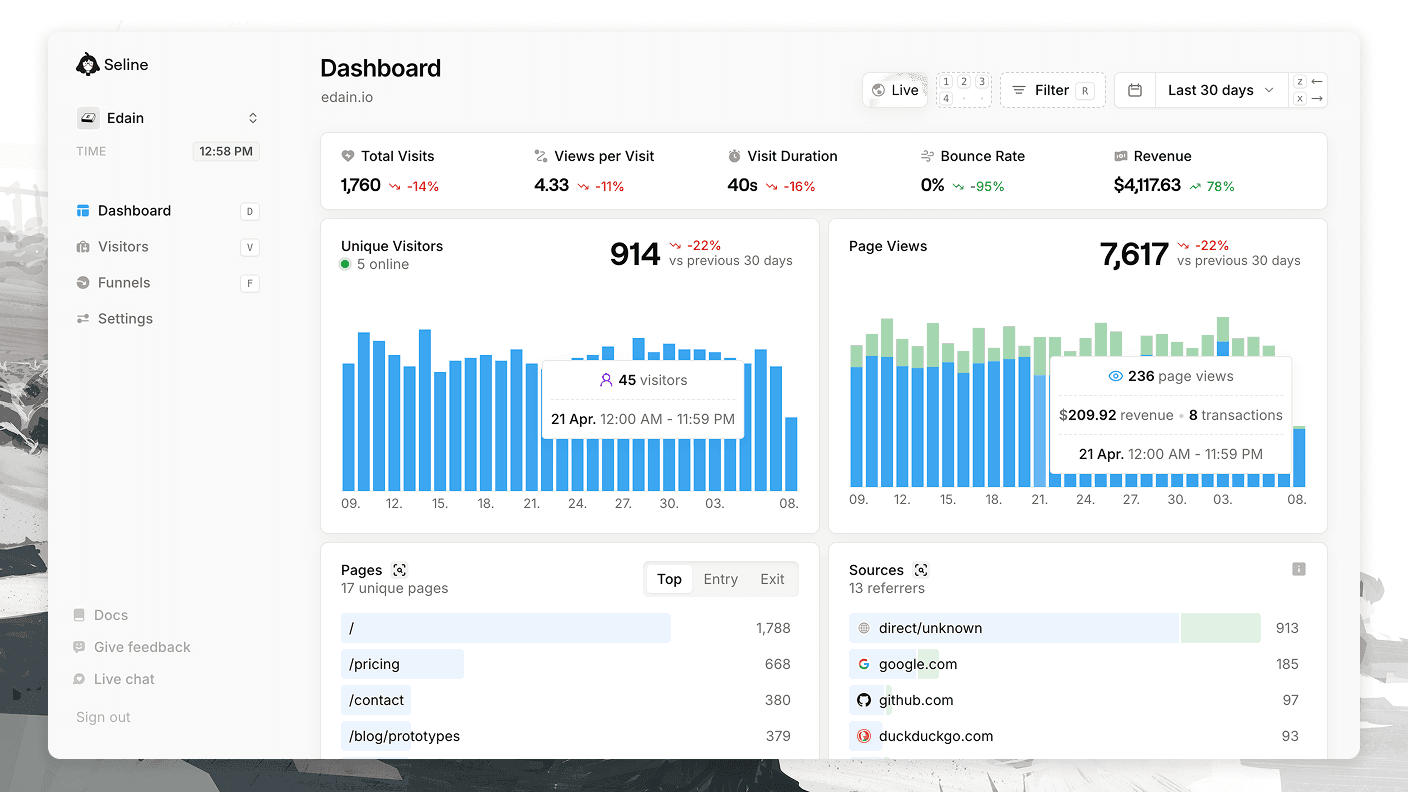
Revenue attribution by referrer or source only works if you pass customer emails via profiles. Revenue chart is displayed regardless of whether you pass emails or not.
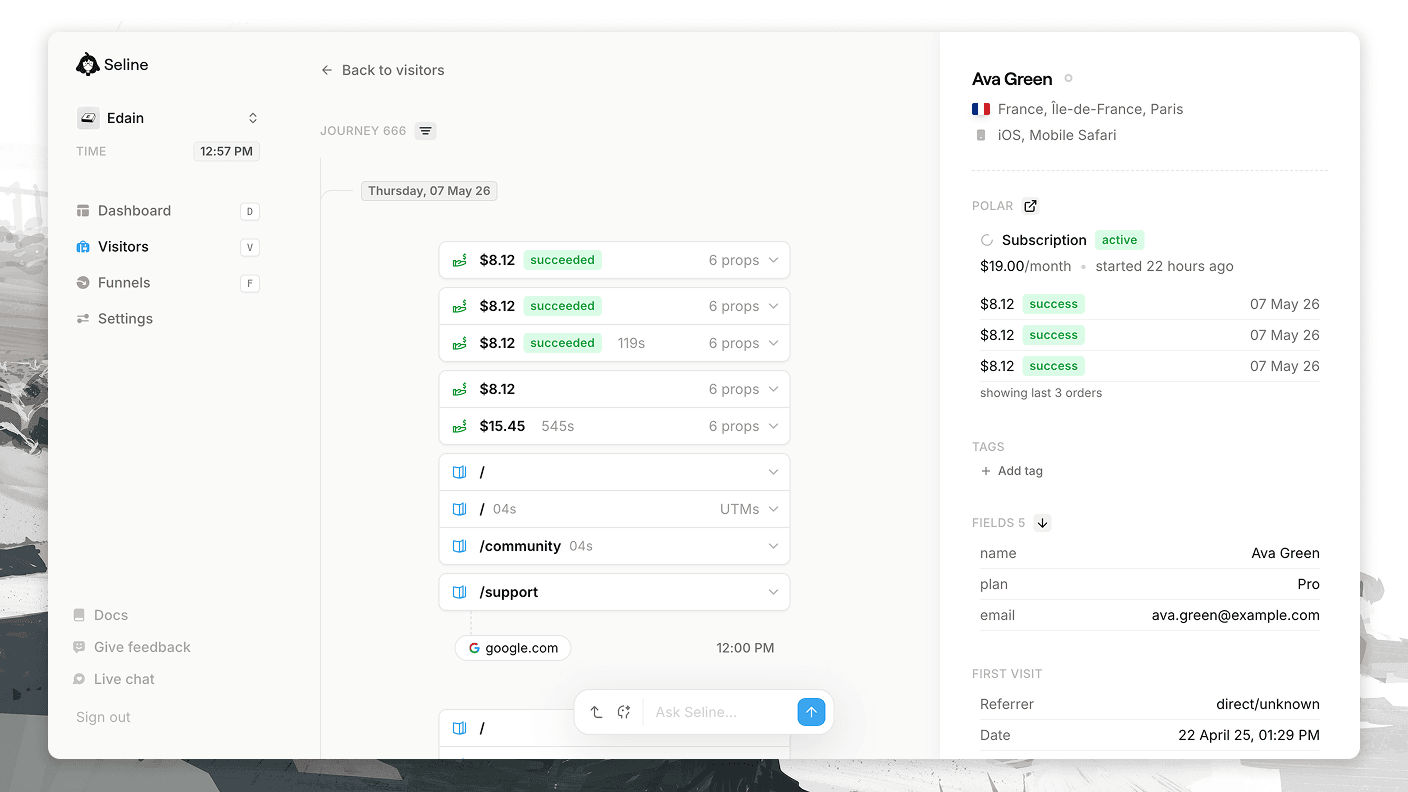
- If you use profiles, visitors with email property will get their subscriptions and payments pulled and displayed at their profiles.
How to connect Polar
Step 1: Create a read-only Polar API key
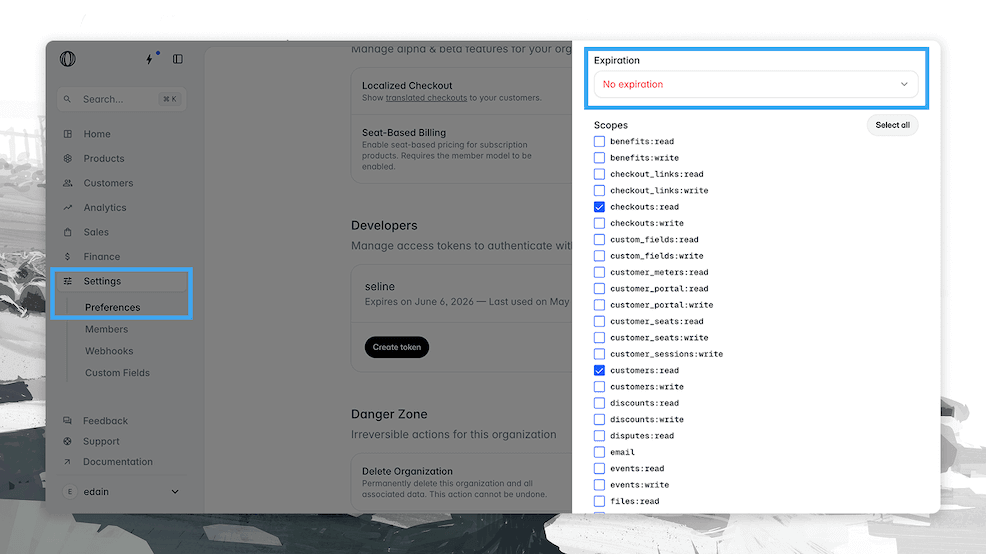
- Go to your Polar settings.
- Click on Access Tokens and create a new token.
- Set the expiration to Never to avoid the integration breaking.
- Grant the following permissions:
checkouts:readcustomers:readorders:readpayments:readsubscriptions:read
Step 2: Get your Organization ID
You can find your Organization ID in your Polar settings page.
Step 3: Add the credentials to Seline
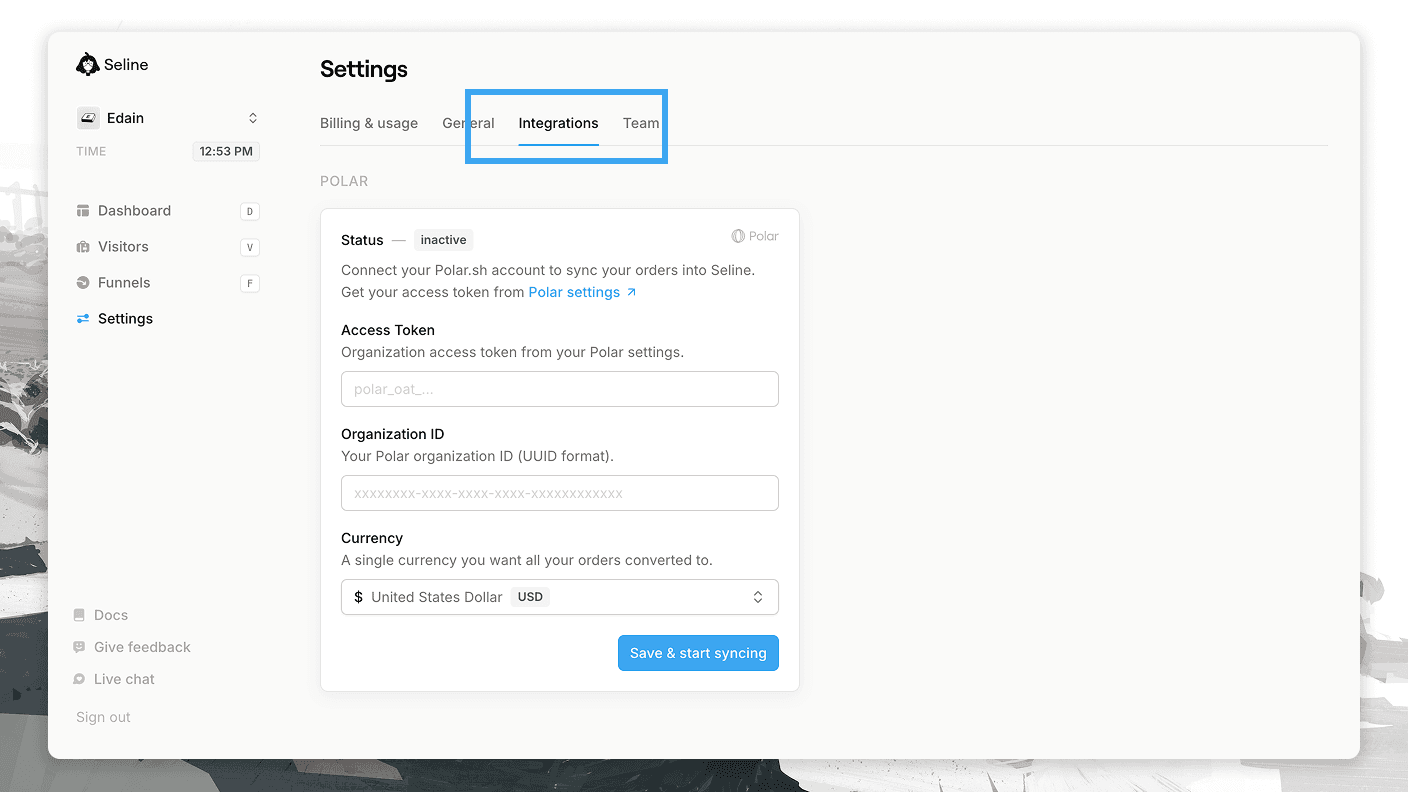
- Go to your Seline integrations page at Settings → Integrations.
- Paste your Polar API key and Organization ID into the input fields.
- Select a single currency you want all charges converted to. This setting is mainly for multi-currency accounts. If you use a single currency in Polar, we recommend selecting it.
That's it. Wait a couple minutes, and you'll see your revenue data synced with Seline.
Developers
Only having an API key, we can't listen to webhooks. Instead, we attempt to pull the data from Polar every minute.
- We pull all Orders since the last successful pull and save them as events.
- When opening a visitor profile that has an email, we try to send a request to Polar API to find a Customer with that email and pull their last 3 subscriptions and last 3 payments. This is later displayed on the right side at their profile. We don't save this data, but pull it every time you open a profile.