Understanding Website Analytics: a Simple Guide for 2026
If you run a website, you have probably heard that you should “look at your analytics more often.”
The problem is that when you finally open an analytics tool, you get hit with graphs, tables, and acronyms that do not feel connected to the decisions you actually need to make. You see page views going up or down, but you are not sure what that means for revenue, sign ups, or real growth.
This guide walks you through the basics of understanding website analytics in a calm, practical way. We break down the core metrics, show how they fit together, and explain how a simple tool like Seline can make them much easier to use.
What is website analytics, really?
At its core, website analytics is just:
A way to measure what people do on your site so you can make better decisions.
That means:
- Seeing how many people visit
- Understanding where they come from
- Learning what they look at
- Tracking what they do before they leave
The goal is not to memorize every metric. The goal is to connect a few key numbers to the outcomes you care about: sign ups, sales, demo requests, or whatever “success” looks like for you.
Why understanding website analytics matters in 2026
In 2026, it is harder than ever to grow a site by guessing:
- Ads are more expensive.
- Organic reach is more competitive.
- Privacy rules make tracking trickier.
If you understand your website analytics, you can:
- Stop spending on channels that do not convert.
- Double down on pages and campaigns that actually work.
- Catch technical issues before they quietly kill your traffic.
- Build a calm, repeatable way to decide what to do next.
You do not need advanced reports to get there. You just need a small set of metrics that you understand well.
The core website analytics metrics, explained simply
Let us start with the basics you will see in almost every analytics tool, including Seline.
Visitors and sessions
These tell you how many people are coming to your site and how often:
- Visitors (or Users): How many unique people visited.
- Sessions: How many times your site was visited. One person can create several sessions.
Use them to answer questions like:
- Did that new blog post or campaign bring more people in
- Are we steadily growing, or just getting random spikes
Page views
Page views show which pages people actually visit.
- High page views can mean a page is ranking, getting shared, or linked.
- Low page views on important pages, such as pricing, can mean they are buried or hard to find.
On their own, page views are a vanity metric. Combined with engagement and conversions, they become much more useful.
Bounce rate and time on page
These metrics tell you how people behave once they land on your site:
- Bounce rate: The percentage of visitors who leave after seeing just one page.
- Time on page / session duration: How long people stay.
They help you spot:
- Pages that attract the wrong audience
- Content that does not match search intent
- Technical issues, such as broken layouts on mobile
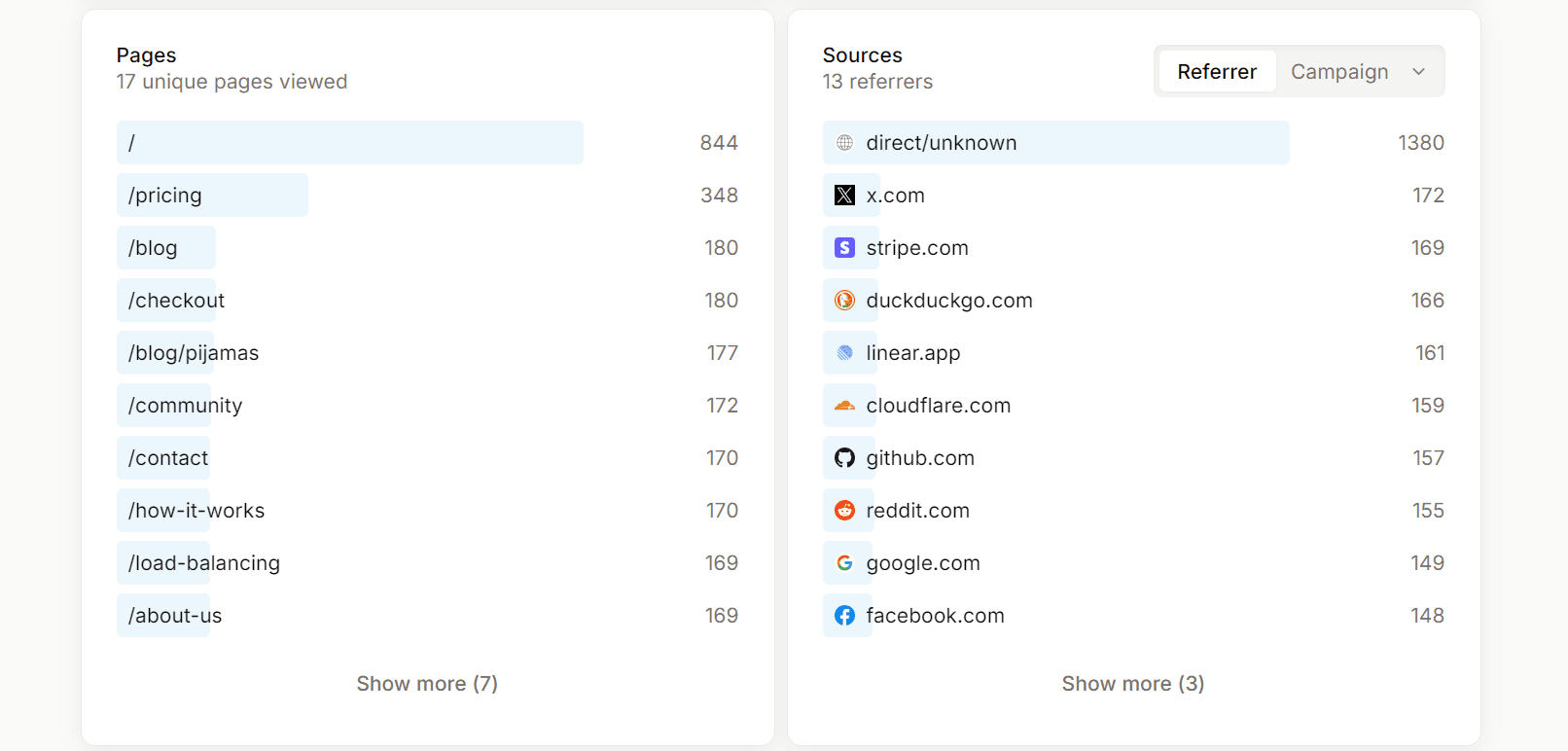
Traffic sources
Traffic source data shows you where visitors come from, such as:
- Search engines
- Social media
- Paid ads
- Referrals from other sites
- Direct (typing your URL or using bookmarks)
This is one of the most important parts of understanding website analytics because it connects your marketing efforts to actual visits and conversions.
Conversions and events
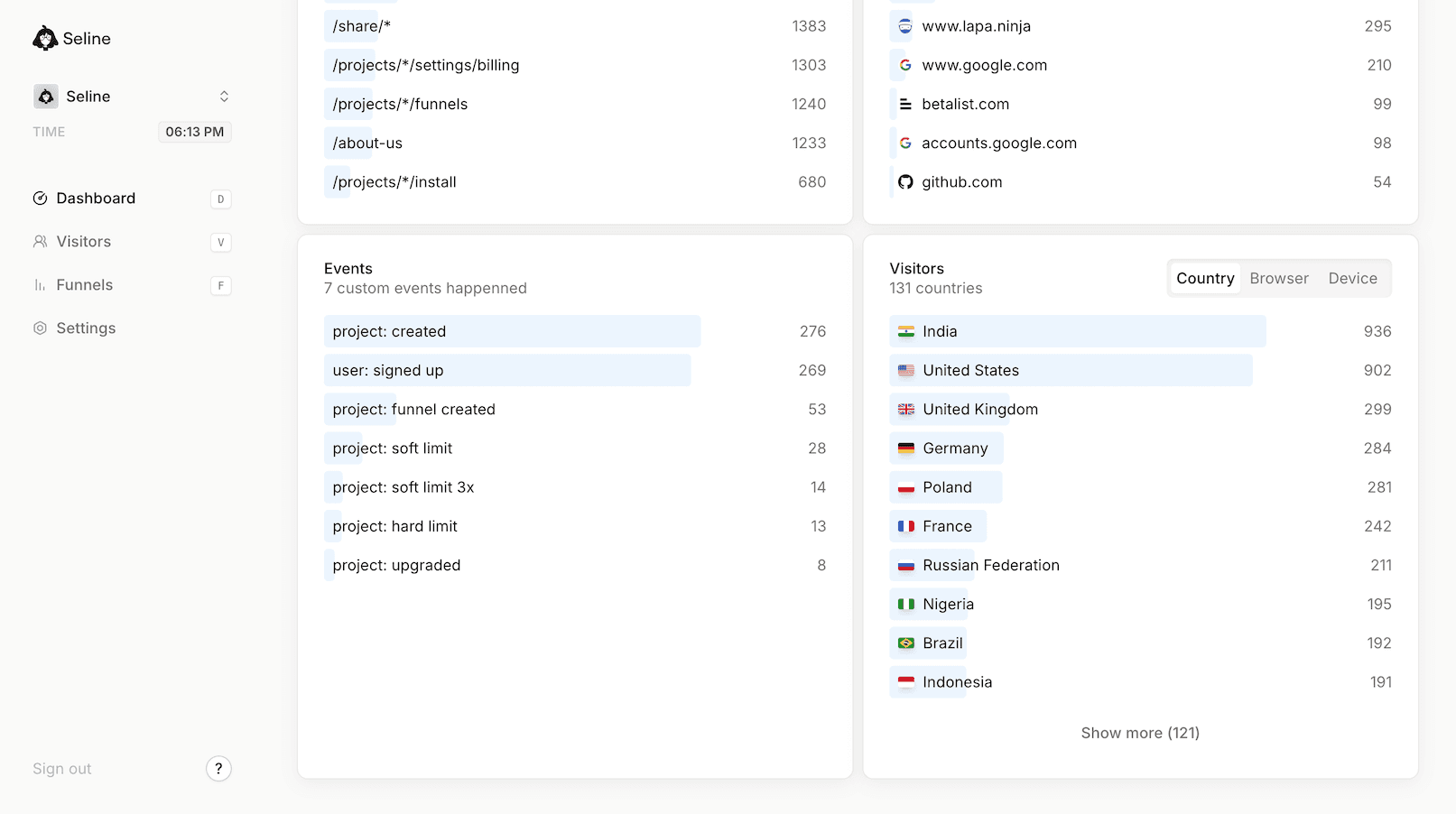
Finally, you have events and conversions, the actions that matter most:
- Newsletter sign ups
- Account creations
- Demo bookings
- Purchases
In a tool like Seline, you can track these as simple events and see how many times they happen, and where those conversions come from.
How these metrics work together
Individually, each metric is just a number. Together, they form a story:
- Visitors and sessions tell you if people show up.
- Page views and engagement tell you if they care.
- Traffic sources tell you how they found you.
- Events and conversions tell you if it was worth it.
Once you understand that story, you can stop obsessing over every graph and focus on a few simple questions:
- Are we attracting the right people
- Do they find what they expected
- Are they taking the actions we care about
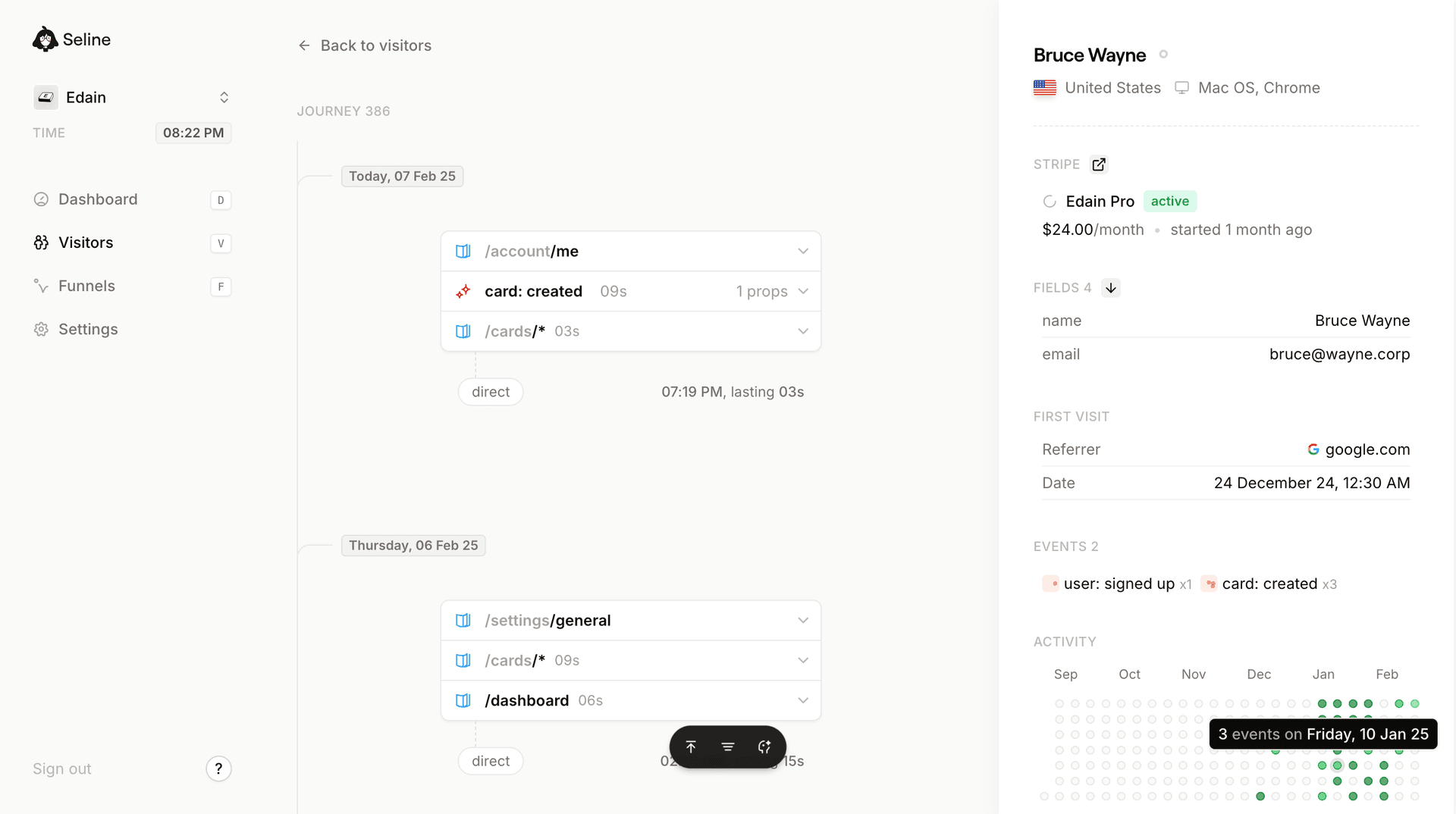
One of the clearest ways to see this story is to look at the full visitor journey. Instead of treating each metric in isolation, you follow how a real person moves from first visit to key action.
In Seline, the visitor journey view makes this path easier to understand. You can see which pages people hit first, where they go next, and where they tend to drop off.
A simple way to read a website analytics dashboard
Here is a quick routine you can use with almost any analytics tool, including Seline, when you open your dashboard.
-
Scan traffic over time
- Is traffic up, down, or flat compared to last week or last month
- Can you explain any obvious spikes or drops, such as campaigns, launches, or downtime
-
Check top pages
- Which pages got the most visits
- Do those pages align with what you are trying to promote
-
Look at sources
- Which channels brought the most visitors
- Which channels brought visitors who stayed longer or converted more
-
Review conversions
- How many sign ups, leads, or purchases did you get
- Which pages and channels contributed most to those conversions
This simple flow turns “understanding website analytics” from a vague idea into a short weekly habit you can stick to.
How Seline makes website analytics easier to understand
Traditional analytics tools often throw everything at you at once: dozens of menus, complex event setups, and sampled data that is hard to trust.
Seline takes a calmer, opinionated approach:
- A clean, focused dashboard that highlights key metrics
- Simple event tracking for the actions you care about
- Clear traffic and content views without custom reports
- Privacy friendly tracking that does not rely on invasive scripts
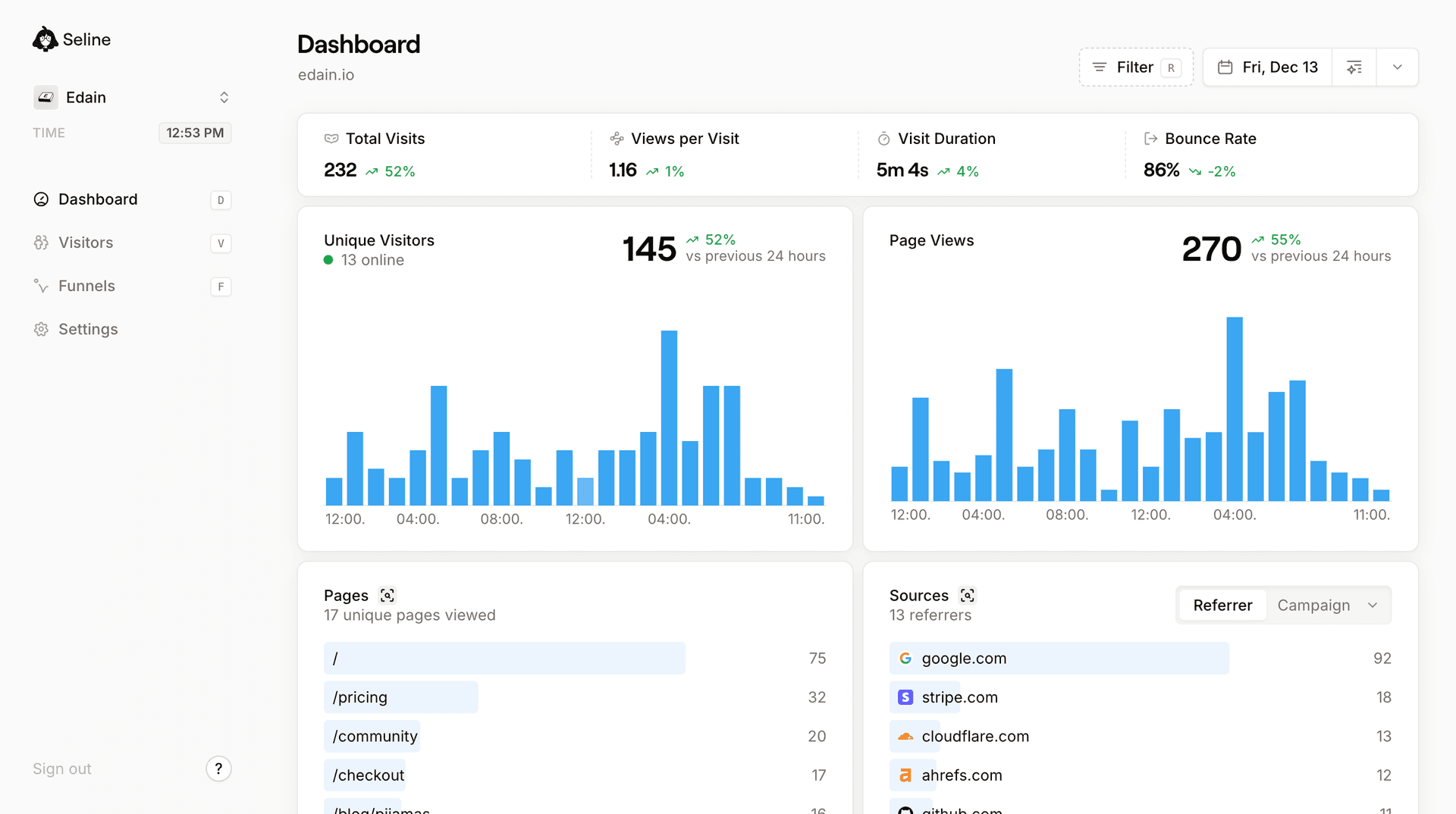
Instead of learning a complicated interface, you log in and see:
- Traffic trends
- Top pages
- Top sources
- Key events and conversions
It is everything you need to understand how your site is doing, without having to be an analyst.
Common mistakes when reading website analytics
As you get more comfortable, watch out for a few traps that make analytics feel more confusing than it needs to be.
-
Chasing every metric You do not need every chart. Start with a small set that clearly connects to your goals.
-
Ignoring context A traffic drop might coincide with a holiday, a technical outage, or a campaign ending. Check what else changed before you panic.
-
Focusing only on volume More visitors are not always better. A smaller, more targeted audience can convert more and cost less to acquire.
-
Checking too rarely or too often Looking once a quarter is too rare. Staring at your dashboard all day is too often. A weekly or biweekly review is enough for most teams.
Simple use cases for your website analytics
Once you understand the basics, you can start using your analytics to answer more specific questions, such as:
- Which blog posts bring in the most qualified visitors
- Which traffic source leads to the most sign ups, not just the most visits
- Where people drop off in the journey from homepage to sign up
- Which countries or devices you should optimize for first
In Seline, these questions are easier to answer because the most important views, such as traffic, content, sources, and events, are just a click away.
Getting started with understanding your own website analytics
To put this into practice, you can follow a short checklist:
-
Define success Decide what a meaningful conversion is for your site, such as a sign up, lead, or sale.
-
Set up basic tracking Make sure your analytics tool is installed correctly and recording visits and key events.
-
Pick a review rhythm Block 30 to 60 minutes each week to review traffic, top pages, sources, and conversions.
-
Ask one question per week For example: “Which page lost traffic this month” or “Which channel brought the most sign ups”
-
Make one change Update a headline, improve internal links to a strong page, or shift budget toward a better performing channel and then watch what happens next week.
See your website analytics in a clearer light
Understanding website analytics does not have to mean learning every report or metric. With the right setup, it can feel like a quick, calm check in that guides your next move.
Seline is built to make that experience as simple as possible: clear dashboards, meaningful metrics, and privacy first tracking that you can trust.
If you want to understand your website analytics without getting overwhelmed, sign up for Seline and see your own traffic, pages, and conversions in a new, clearer way.