
The best analytics for agencies: one account, per-client billing

Run every client site from one Seline account. Link projects to share a Pro plan, or bill each client separately. Invite a different team on every project, and send a live dashboard when they only need to look.
onG2  —  “It's refreshing to use an analytics tool that just works without any hassle.”
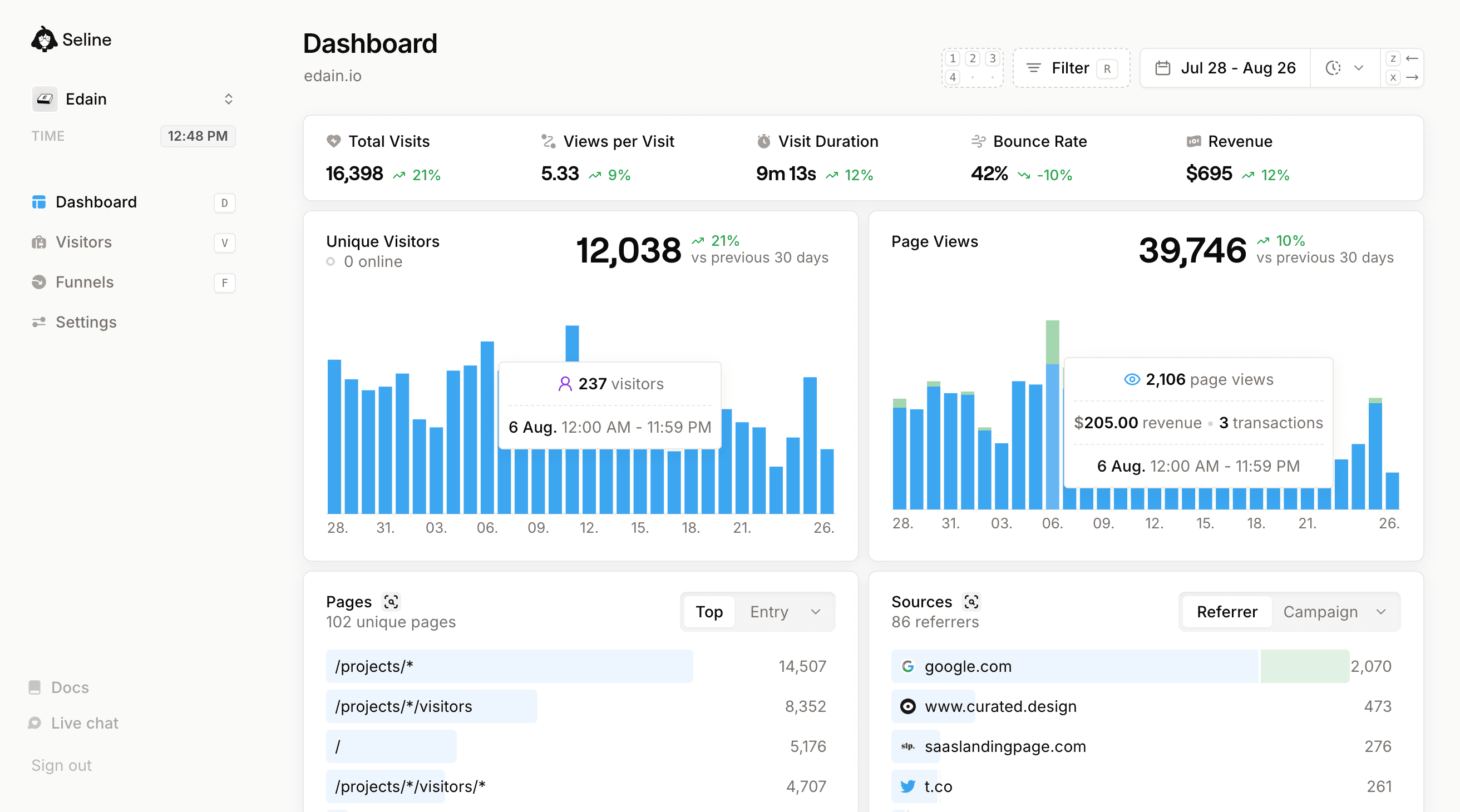
Seline dashboard page screenshot
click to see features

Built for how agencies actually run client work

Seline is the best analytics for agencies because the account model matches the roster. Every client site is its own project. Link them under one Pro plan, or keep separate billing when the client pays. Invite that client's team to their project only. Share a live URL when they just need the numbers.
StarStarStarStarStar
Previously, I had all of my sites hooked up to Google Analytics, like most people. But I never looked at the reports. Now, I find myself dropping in and looking at the stats several times a day. It's very easy to digest and understand.
Chris Williams
Chris Williams
Founder, Cloudscope
StarStarStarStarStar
It just works, no need to navigate endless dashboards or worry about compliance issues. That simplicity saves us time and helps us stay focused on building our business.
Kevin Steba
Kevin Steba
Founder, Seino

Why agencies keep moving off Google Analytics

We talk to dozens of agencies a month. The complaints are almost always the same, and they all hit the renewal conversation, not just the dashboard.
1
GA4 is unreadable for clients.
Most clients open GA4 once, get lost between "explore" and "reports", and never come back. You end up screenshotting numbers into a monthly slide deck. With Seline they bookmark one live URL and reporting stays up to date.
2
Cookie banners hurt client conversion.
Low consent rates leave GA data incomplete. Seline is cookie-less and GDPR-ready, so the banner can come off and your client typically sees more traffic in reports.
3
Pageviews do not prove ROI.
Sessions and bounce rate rarely justify a renewal on their own. Seline ties UTMs and referrers to actual revenue events, so you can walk into the renewal call with a concrete dollar figure attached to your work.
4
Multi-site access is painful.
Sharing twenty GA4 properties across an agency team, then again with each client, is a mess. In Seline, every client site lives in one account. Teams are per project, so you invite the client's people to their site only. Bill them on a separate subscription, or link the project to share your plan.
5
Reporting is a manual job no one wants.
Rebuilding monthly reports in Looker Studio takes hours each month. Share a live Seline link instead and spend that time on client work.

How Seline solves agency analytics

Seline keeps a Google Analytics-style tracking surface (pages, sources, devices, locations) and stacks the tools an agency actually needs on top: shareable views, visitor journeys, conversion funnels, and revenue attribution. Every client site is a project you can link, bill separately, and staff with its own team.
*
no setup required
means you only need to add our whisper-thin (~2kb) html snippet to your website for the feature to work.

Shareable client dashboard

no setup required
Real-time pages, sources, and conversions in a layout your client can read without training. Share a link or embed it inside a Notion or Coda client portal.
Sources
10 referrers

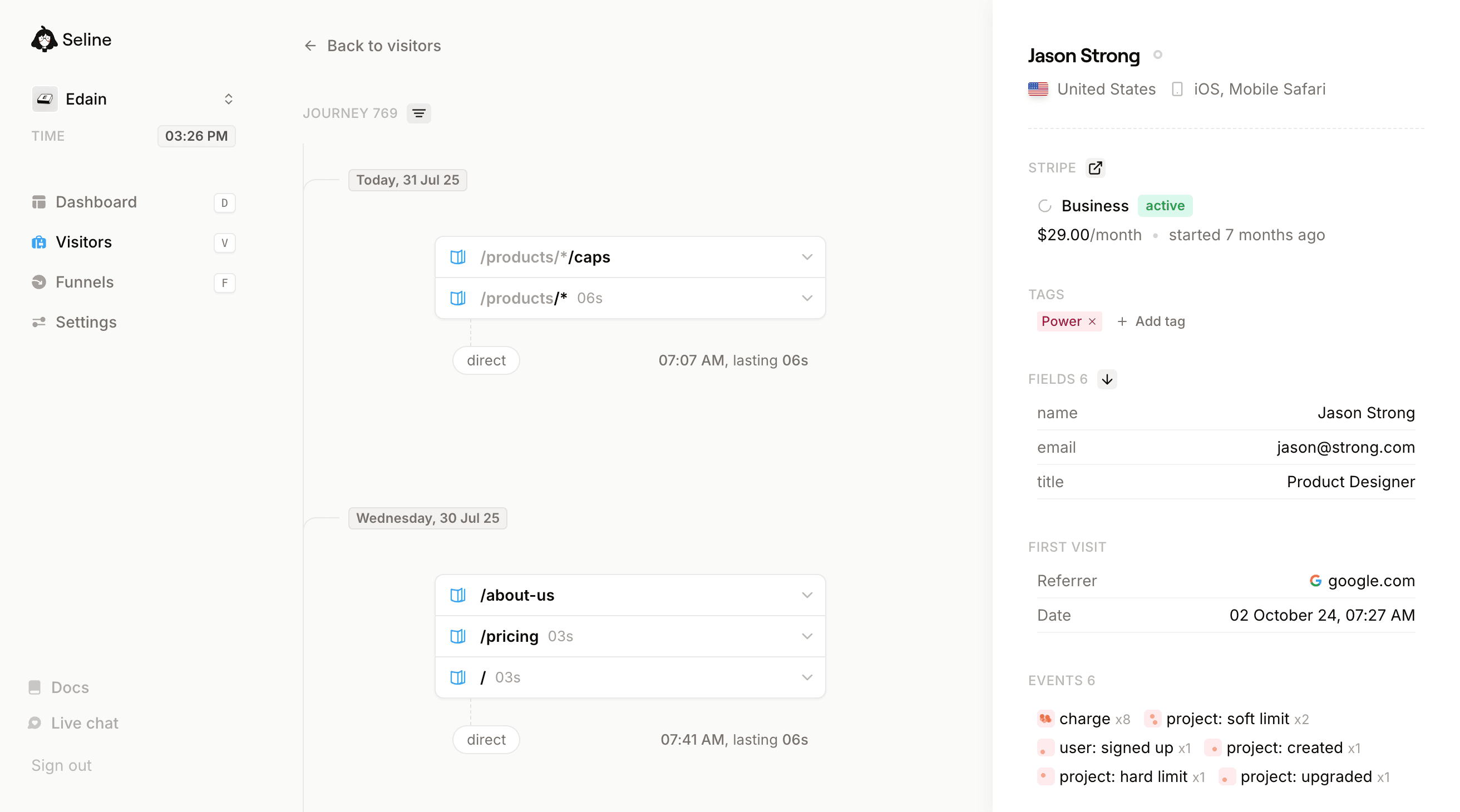
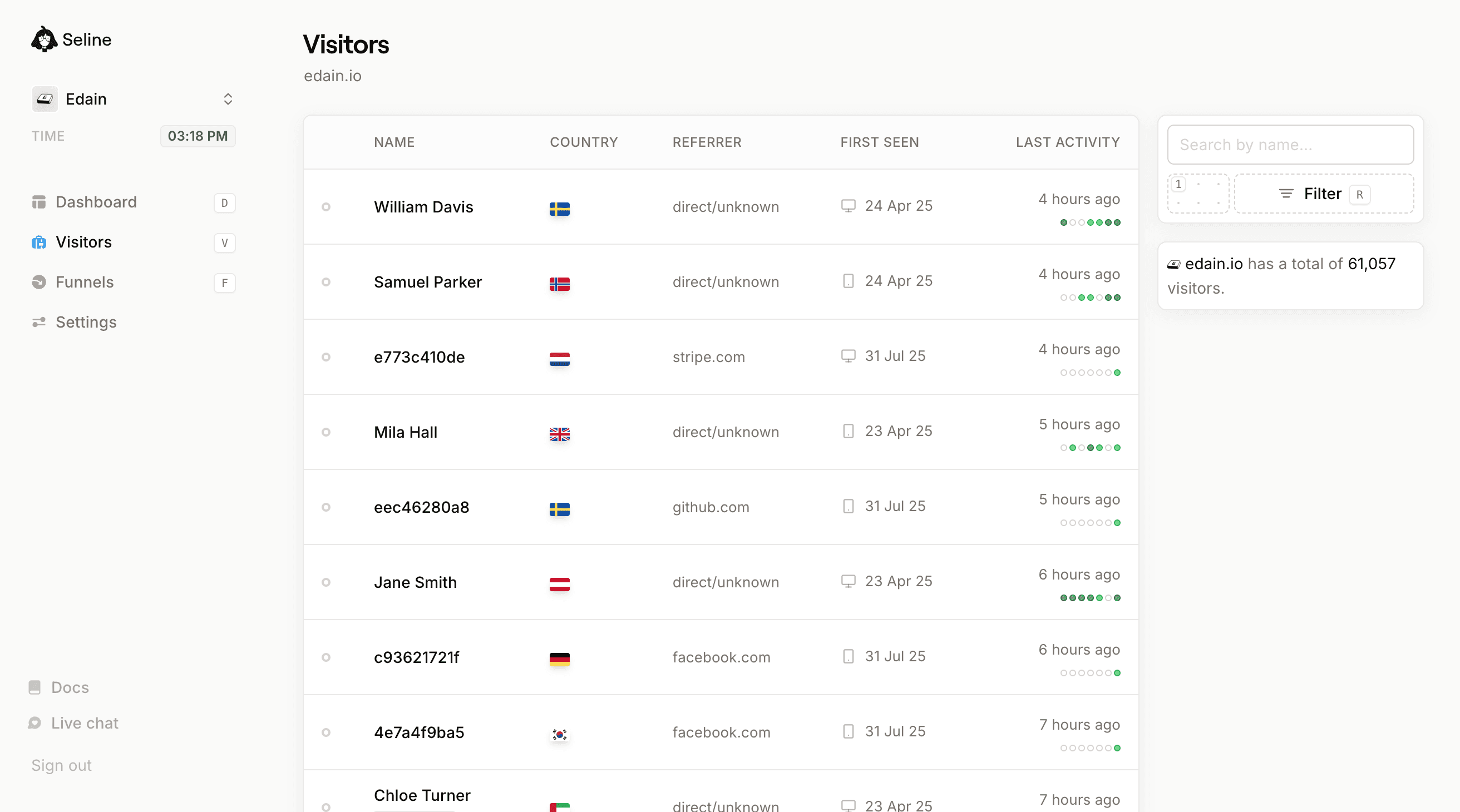
Visitor journeys

no setup required
See the exact path a visitor took before converting or bouncing. Useful when a client asks what a specific lead did before booking the call.
Thursday, 21 Mar 24

Revenue attribution

no setup required
Tie every campaign and channel to actual revenue. Show, in dollars, what Google Ads spend or SEO work brought in.
Sources
5 referrers
Revenue

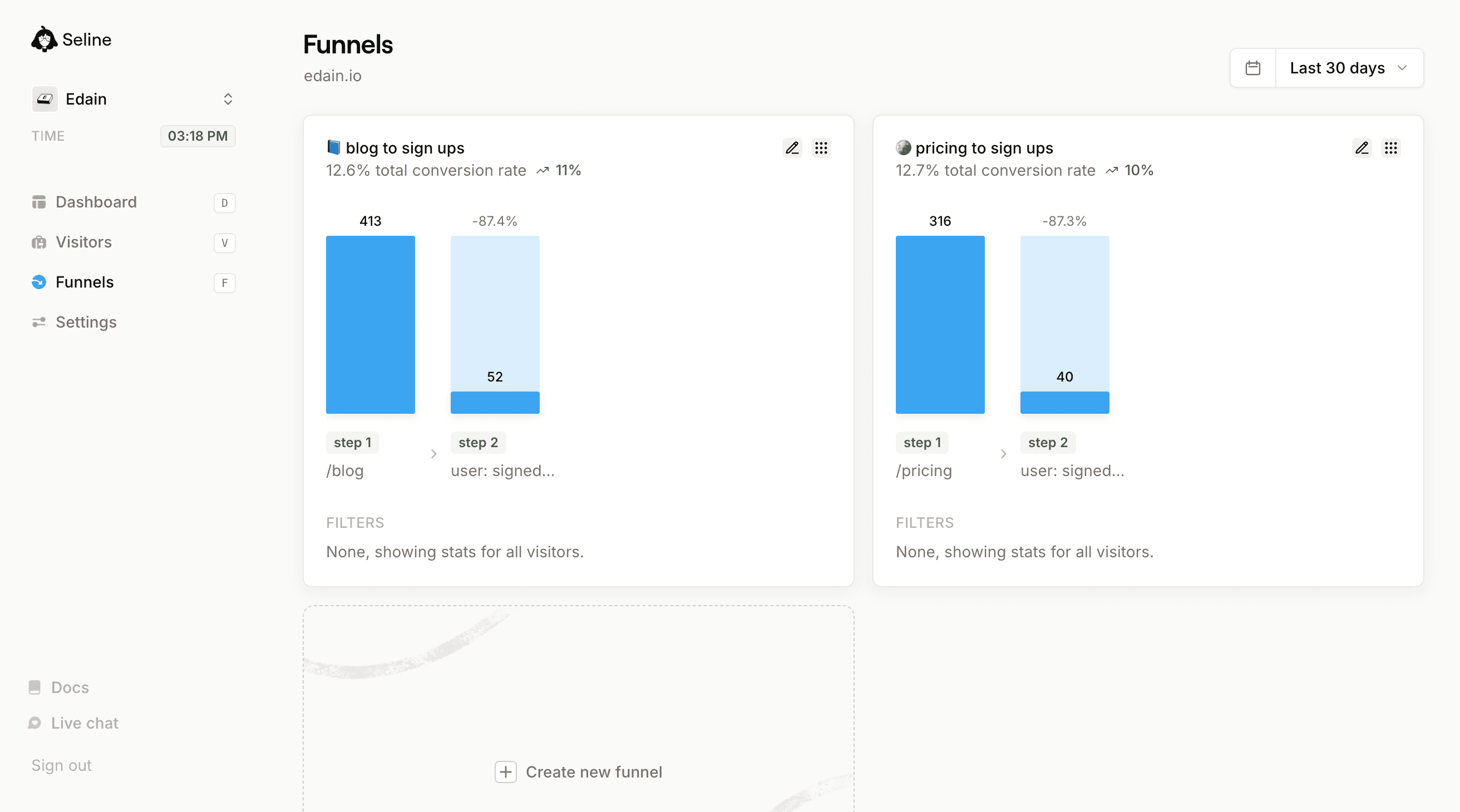
Conversion funnels

optional
Build a funnel for landing page to form to booking. Show drop-off at every step so the client can see exactly what the next sprint should fix.
10.2% total conversion rate
2123
532
-74.9%
217
-59.2%
step 1
/product/*
step 2
product: added to cart
step 3
product: purchased
FILTERS
google.com
Seline looks so good! The power of small teams... x.com
Guillermo Rauch
Guillermo Rauch
CEO, Vercel

Four ways agencies use Seline day to day

Different agencies use Seline differently. SEO teams care about source attribution, paid teams care about UTM-to-revenue, account leads care about who pays for which project.

These are the patterns we see most often when an agency rolls Seline out across a client portfolio.

Monthly reporting with live links

Send a shared Seline link instead of rebuilding slide decks each month. Your client gets a live view of every metric you both care about, with no account to create.

Link in-house sites, bill clients separately

Keep your own sites linked under one Pro plan. Give each paying client their own subscription and payment method. One account still holds the whole roster.

Invite a different team per client

Teams are project-wide. Invite the client's marketing lead to their site only. They never see the rest of your portfolio. Your agency team can sit on every project.

Proving paid-channel ROI

Map UTM parameters to revenue and show, in dollars, what every Google Ads or LinkedIn Ads campaign is bringing in. Renewal conversations focus on revenue and return, not impressions alone.

Why Seline is the best analytics for agencies

Agency analytics has to survive a client call, a reimbursement, and a new teammate next week.

The usual stack is GA4, a Looker Studio dashboard that breaks, and a PDF that is already stale. Sharing access with your team, then again with each client, is messy.

Seline keeps every client site in one account. Link projects to share a Pro plan, or leave a project unlinked when that client should have its own subscription.

Teams are project-wide. Invite the client's people to their site only. Your agency team can sit on every project. If they only need to look, send a read-only share link.

From $9/month per project, every feature included, no per-seat charges. See pricing, GA vs Seline, and Plausible vs Seline.

How agencies roll Seline out

1
Add each client site as a project.
One Seline account holds the roster. Paste the ~2kb script. Webflow, Framer, WordPress, Shopify, Next.js, and plain HTML all work. The dashboard is live before the kickoff call ends.
2
Link the project, or bill that client separately.
Link it to a Pro project if you want to share the event limit under one subscription. Leave it unlinked and put their card on that project when they should pay for their own analytics.
3
Invite that client's team, or send a share link.
Teams are per project. Invite their people to this site only. They never see your other clients. If they only need to view numbers, send the read-only dashboard URL instead.

What to look at before the monthly review

Traffic by source

Organic, paid, referral, and email, in language the client already uses. This is the first screen most retainers need.

Landing page conversion

Which pages from last sprint actually produced leads or sales. Useful when you agree on what to fix next.

Campaign revenue

UTM to dollars. The paid team and the SEO team can share one number instead of two dashboards.

Funnel drop-off

Ad click to landing page to form. Show the leak in the meeting, then ship the fix.

Visitor journeys

The path a lead took before booking. This is how you defend SEO work that does not look like last-click conversions.

Portfolio coverage

Every client site in one account. Link projects to share a plan, or bill separately. Invite a different team on each project.

Questions worth asking on an analytics sales call

If you are buying a tool for agency reporting, these are the questions that separate a dashboard you will use from one that becomes another login:

Can clients view a live dashboard without an account?

If the answer is a PDF or a seat for every stakeholder, reporting will stay a manual job. Seline share links are read-only and live. Invite them to the project if they should log in.

Can the whole portfolio live in one account?

Twenty GA4 properties with scattered access is how agencies lose hours. One Seline account holds the roster. Link projects or keep separate subscriptions. Same login either way.

Can we bill each client separately?

Pricing is per project. Put their card on that project when they reimburse analytics. Link the project to your Pro plan when you want one shared event limit.

Can we invite a client team to only their site?

Teams are project-wide. Invite their people to that project. They never see your other clients. Up to 30 seats per project, no per-seat charge.

background line ctabackground line ctabackground line ctabackground line cta
seline moving boxes

Roll out Seline across your client portfolio in an afternoon

One account for every client site. Link projects to share a Pro plan, or bill each client separately. Invite their team to that project only. Add more sites when you are ready.
Join 1,000+ companies who see their stats plain and true.

What you get on every client site

Shareable client dashboards

Send each client a read-only link to their live dashboard. No accounts to create, no GA4 access requests, and no PDF exports that are out of date when the client opens them.

Link projects, or bill separately

Pricing is per project. Link client sites to one Pro project so they share the event limit, or keep a separate subscription and payment method on each client. Same account either way.

A different team on every project

Teams are project-wide, not account-wide. Invite the client's people to their site only. They never see your other clients. Up to 30 seats per project on Pro.

Revenue attribution by channel

Connect Stripe or send custom revenue events to tie every UTM, referrer, and campaign back to dollars. Show clients which work drove revenue, not just traffic.

Lightweight

Our script weighs ~2kb, roughly 23x smaller than the Google Analytics tag. Your client sites stay fast and their Core Web Vitals scores stay clean.

GDPR-ready by default

EU-based, hosted in Germany, cookie-less by default. No consent banner, with a DPA ready when a client asks for one.

Privacy-friendly

No third-party cookies, no cross-site tracking, no selling of client data. A privacy promise you can include in client proposals.

Google Analytics alternative

A privacy-first GA alternative your clients can actually read. Real-time numbers, clear labels, no training required.

Custom events

Track contact form submits, demo bookings, downloads, button clicks, or anything else that counts as a conversion for that specific client.
Every online business should have analytics in place. It's essential.
But it's not always easy to find the right tool. For us it was either too simple, too bloated, or too slow. That's why we've cherry-picked the most important analytics features and carefully crafted them into one minimalistic tool, Seline.
Think of Google Analytics, but intuitive and fast.
A tool you'll actually enjoy using daily.
If you're interested in trying our product but not sure where to start, feel free to reach out to us via , twitter or email.
Looking forward to have you on board!
Gratefully,
signature
P.S. Seline is completely free to start.
background line faq

Agency analytics Q&A

Seline is the best analytics for agencies because it matches how agencies actually work. One account holds every client site. You can link projects to share a Pro plan, or bill each client on a separate subscription. Invite a different team on every project, or send a live dashboard link if they only need to look. Clients get numbers they can read without a GA4 tour.

Yes. Create a project per client site inside one Seline account and switch between them in one click. Link those projects to a Pro site if you want them to share the event limit, or leave them unlinked so each client has its own plan and payment method.

Pricing is per project. Link a client project to another project that already has a Pro subscription, and they share that event limit under one bill. Leave a project unlinked when the client should pay separately. You still manage every site from the same account. See our pricing page for the full setup.

Yes. Put a different subscription and payment method on each client project. That is the usual agency setup when the client reimburses analytics, or when their accounting needs its own invoice. Link projects instead when you want one shared plan across sites you keep in-house.

Yes. Teams are project-wide, not account-wide. Invite people to that client's project only. They can open that dashboard and nothing else. Your agency team can still be invited to every project you manage. Pro (or a project linked to Pro) includes up to 30 seats per project.

Two options. Send a public share link if they only need to view numbers, no Seline account required. Or invite them as teammates on that project if they should log in, filter, and work in the dashboard. Either way, they only see their own site.

No. Seline is cookie-less, does not track visitors across sites, and stores data inside the EU. Most jurisdictions do not require a consent banner with this setup, but you should still confirm details with your client's legal team.

Yes. Connect Stripe or send revenue events so every campaign, page, and channel ties back to real money. Use that in client reviews and renewals to show revenue from your work, not just traffic reports.

Yes. Our 2kb script works on every framework and CMS we have seen. We ship one-line install guides for Webflow, Framer, WordPress, Shopify, Next.js, Astro, Remix, and plain HTML inside our docs.

GA4 pushes clients into a report builder they will never use, hurts Core Web Vitals, and forces a cookie banner. Sharing twenty GA4 properties across an agency team is messy. Seline is privacy-first, real-time, and simple enough for your team and each client team to use day to day.

Yes. Pricing is per project, starting at $9/month, with every feature included and no per-seat charges. Link client sites under one Pro subscription, or keep a separate bill on each client. See our pricing page for event tiers.

Ask whether you can run every client site in one account, whether you can link projects or bill each client separately, whether you can invite a different team on every project, whether clients get a live dashboard without a login, and whether a DPA is available. Seline answers yes to all of those.
seline-cta

Run smarter client reviews. Try analytics built for agencies.

Add Seline to a client site in three minutes. One account, link or bill separately, and a different team on every project.