Ecommerce analytics that show where the money comes from

Seline is the simple, privacy-first ecommerce analytics tool for online stores. Track every order back to a channel, find the leak in your checkout funnel, and skip the cookie banner.
onG2  —  “It's refreshing to use an analytics tool that just works without any hassle.”
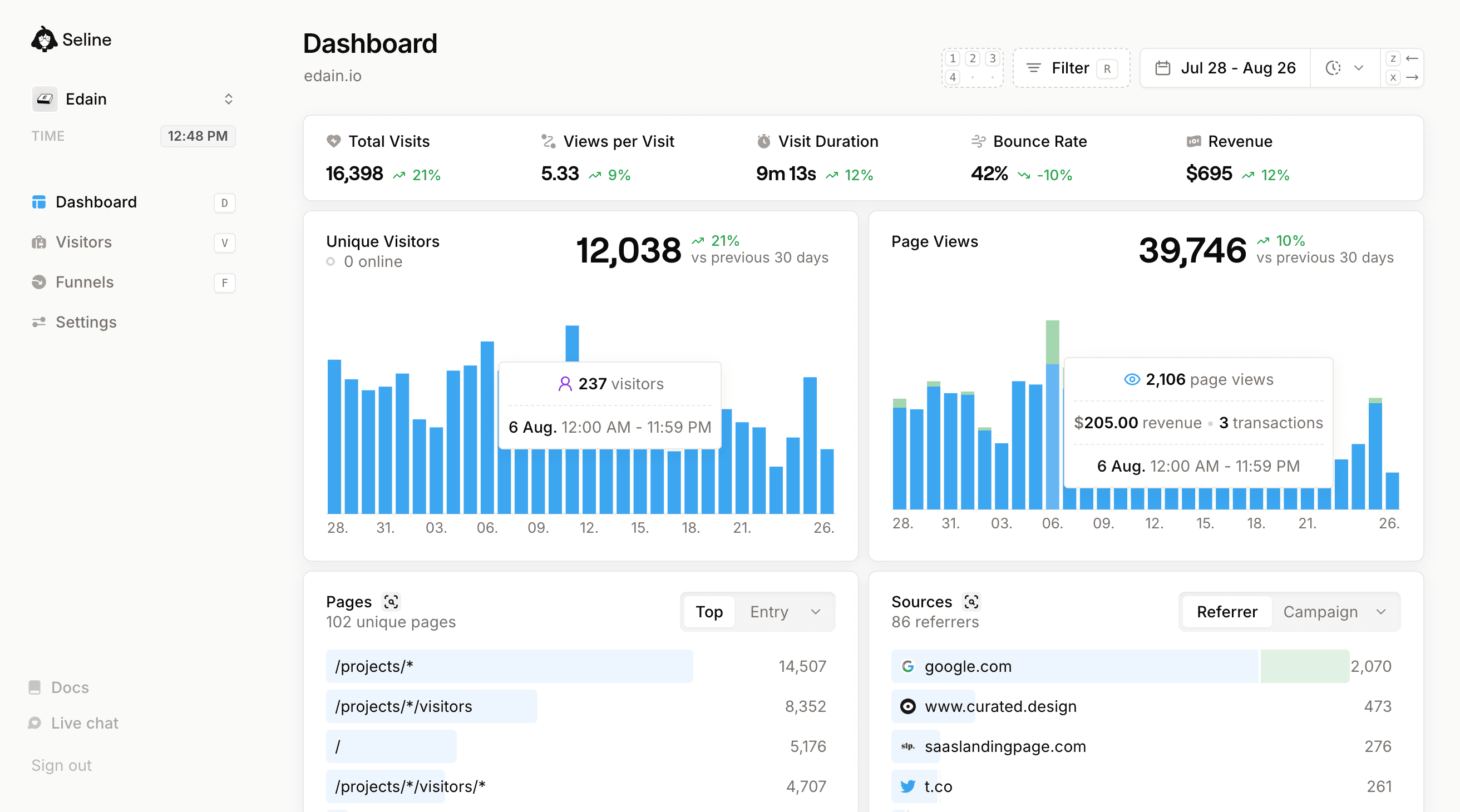
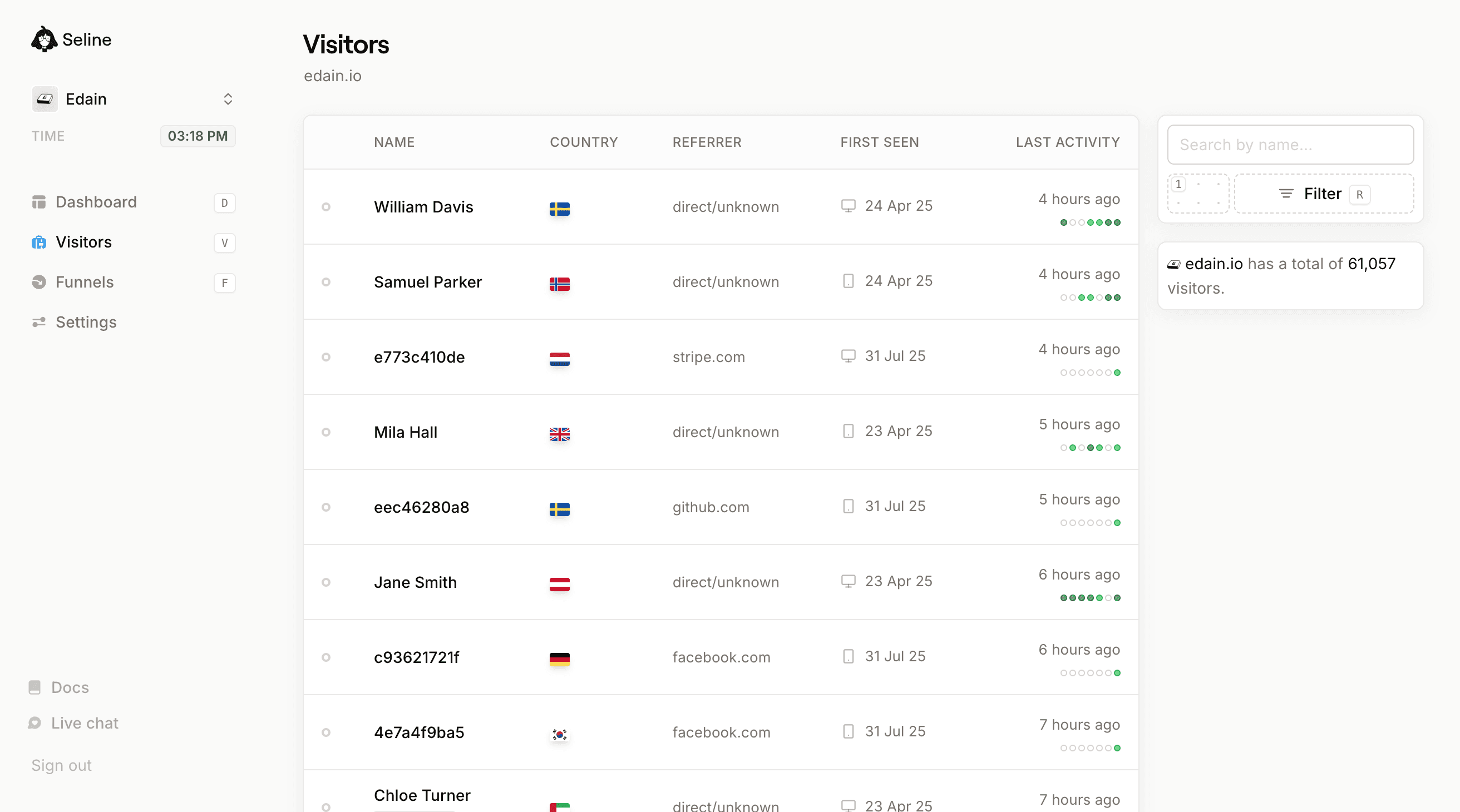
Seline dashboard with tracked visitor data
click to see features

Stop guessing which channel brought the order

Seline is an ecommerce analytics tool we built because we were tired of stitching together Google Analytics, Shopify reports, and ad-platform dashboards. It works for Shopify, WooCommerce, BigCommerce, Magento, Webflow, and any headless storefront.
StarStarStarStarStar
I use Seline at my Shopify store. Although Shopify has its own analytics, I find Seline more convenient. Its flexible filters let me analyze data from different regions. I can also view statistics by UTM tags, which helps when I launch Google Ads.
Kate Prokopyeva
Kate Prokopyeva
Founder, Ekaproeka store
StarStarStarStarStar
Previously, I had all of my sites hooked up to Google Analytics, like most people. But I never looked at the reports. Now, I find myself dropping in and looking at the stats several times a day. It's very easy to digest and understand.
Chris Williams
Chris Williams
Founder, Cloudscope

Five common ecommerce analytics mistakes

If you sell online, you have probably hit a few of these. Seline is built around the patterns that actually matter for stores.
1
Built-in store analytics are too narrow.
Shopify, Woo, and BigCommerce dashboards are great at orders and AOV, but blind to where buyers came from and what they did first. Seline fills that gap with sources, journeys, and revenue-by-channel views.
2
GA4 is overkill for a store.
Google Analytics is built for media properties and huge marketing teams. As a store owner you want a single screen with sources, top pages, top products, and revenue. Seline ships that view by default.
3
Pageviews are not ROAS.
Ad platforms show traffic. Stripe and Shopify show orders. Nobody connects the two, so paid budget gets reshuffled on guesses. Seline ties every UTM and referrer to real revenue so you can move spend based on data.
4
Cart and checkout abandonment is invisible.
Default dashboards tell you how many orders happened. They do not show where the basket died. With a funnel in Seline you can spot the step where the buyer left (pricing, shipping, or payment) and fix it.
5
Cookie banners shrink your reporting window.
Every dismissed banner is a buyer you cannot see in GA. Seline is cookie-less and EU-hosted, so the banner can come off and your analytics start reflecting the real audience again.

How Seline solves ecommerce analytics

Seline mixes a Google Analytics-style website analytics dashboard with the ecommerce-specific tooling you actually need: visitor journeys, checkout funnels, and revenue attribution. Drop the script in, send a revenue event on checkout completion, and you are done.
*
no setup required
means you only need to add our whisper-thin (~2kb) html snippet to your website for the feature to work.

Store dashboard

no setup required
Real-time view of pages, products, sources, and countries. Built for a quick morning check before you open the ads account.
Sources
10 referrers

Buyer journeys

no setup required
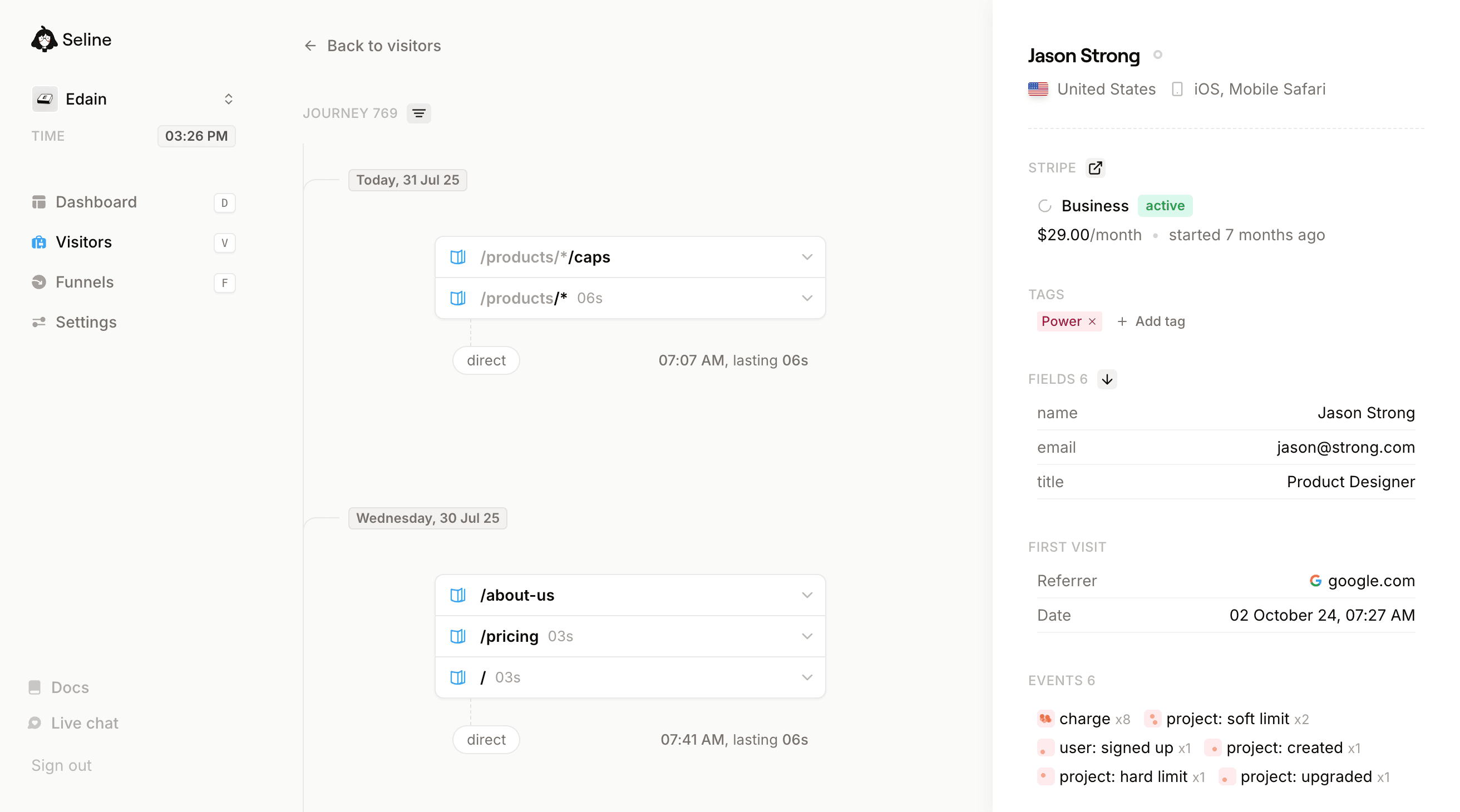
Track every visitor session: what they looked at, what they added, where they left. Use it for CRO, ad targeting, and post-purchase analysis.
Thursday, 21 Mar 24
Googlegoogle.com
10:18 AM

Revenue attribution

3-minute setup
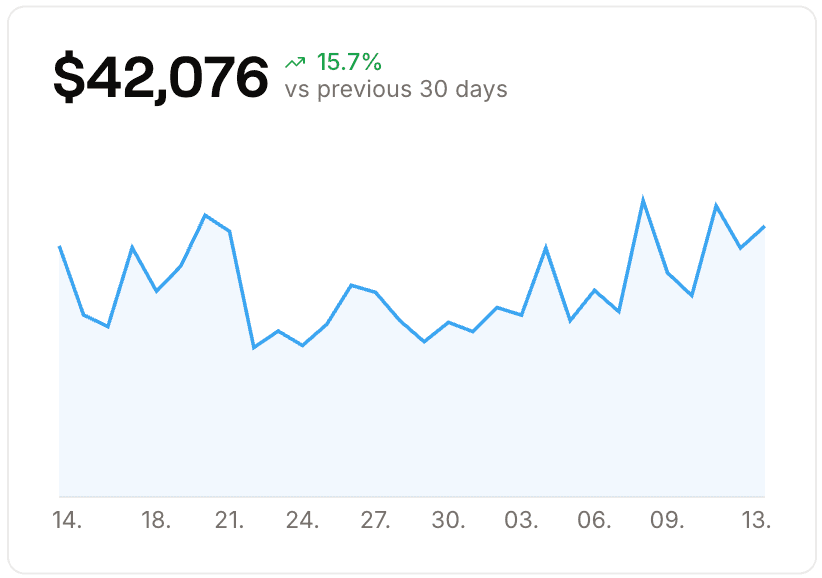
Send a single revenue event at checkout completion and Seline ties every order to its UTMs, referrer, and landing page. Real ROAS, no ad-platform spin.
Sources
5 referrers
Revenue

Checkout funnel

optional
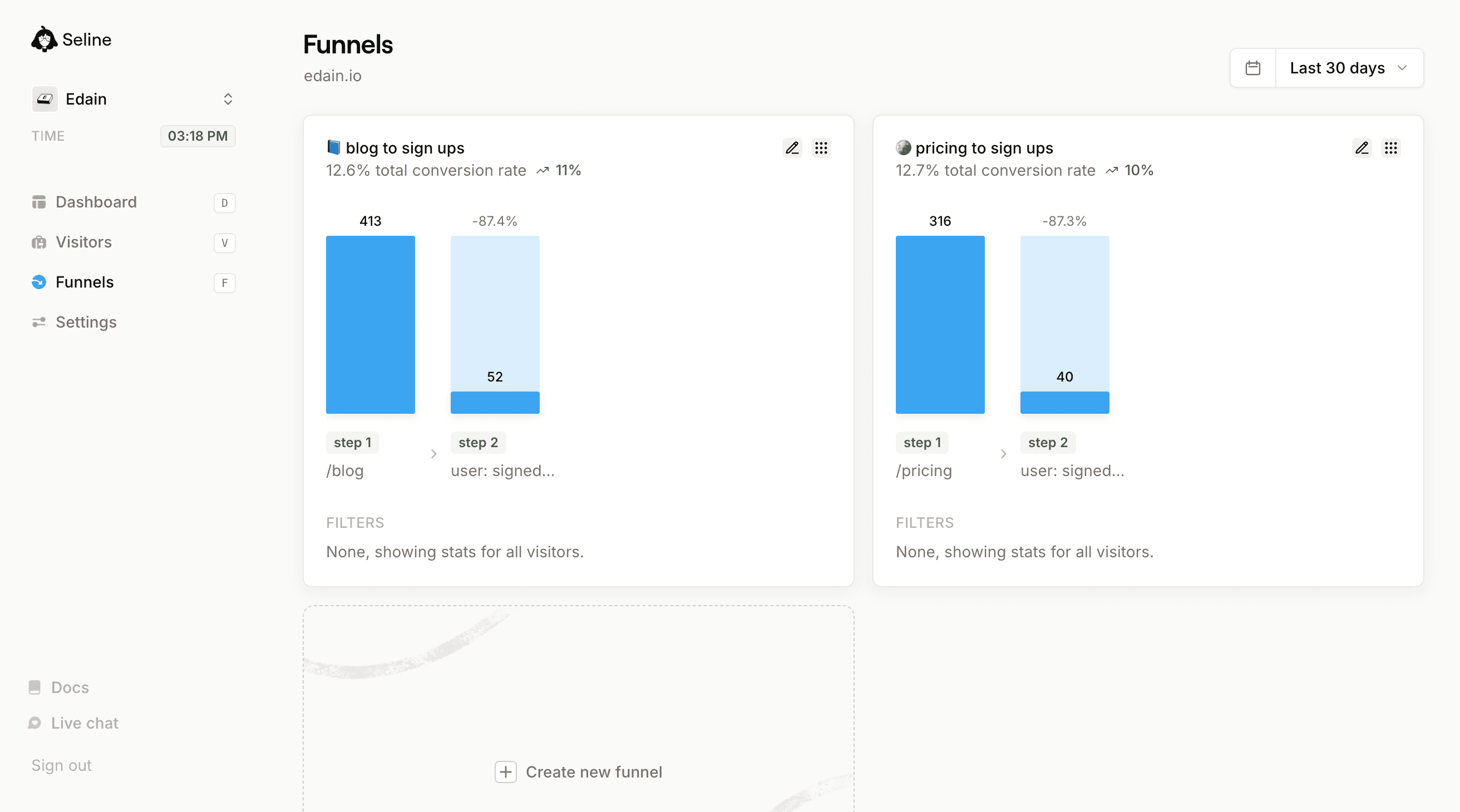
Product page to add to cart to checkout to purchase. Find the step where conversion drops and ship a fix next sprint.
10.2% total conversion rate
2123
532
-74.9%
217
-59.2%
step 1
/product/*
step 2
product: added to cart
step 3
product: purchased
FILTERS
google.com
Seline looks so good! The power of small teams... x.com
Guillermo Rauch
Guillermo Rauch
CEO, Vercel

Four ecommerce use cases Seline handles by default

Whether you sell physical products, digital downloads, or a subscription box, these are the workflows store owners lean on inside Seline.

Start with the workflow you need most. The rest of the toolkit is already on the same plan.

Cut paid spend that does not sell

See which UTMs and referrers actually bring revenue, not just visits. Most stores find a couple of expensive channels they can trim within their first week of using Seline.

Fix the checkout leak

Build a product to cart to checkout to purchase funnel. Drop-off at shipping or payment is often easy to spot once the funnel is live.

Understand cart abandoners

Open the journey of buyers who left at the cart. Patterns appear fast (slow page, surprise shipping, unclear discount code) and you fix them with evidence before you change the store.

Find the high-converting products

Some products convert better than your bestsellers when you filter by source. Seline surfaces those, so you can reorder ad creative and homepage placement to match.

background line ctabackground line ctabackground line ctabackground line cta
seline moving boxes

Get a real picture of your store traffic in minutes

Add Seline to your storefront, send a revenue event on checkout, and you will have channel-level ROAS, a checkout funnel, and visitor journeys live before your next ads review.
Join 1,000+ companies who see their stats plain and true.

What you get on every store

Revenue attribution

Tie every order back to a specific campaign, referrer, or UTM. See which channels actually drive AOV and repeat purchases, not just clicks.

Checkout funnel

Product to add to cart to checkout to purchase. See where shoppers drop off, fix it, and track conversion over time.

Visitor journeys

Open the exact path a buyer took before paying, or the path a non-buyer abandoned. Useful for CRO, product decisions, and ad targeting.

Works with every platform

Shopify, WooCommerce, BigCommerce, Magento, Webflow Ecommerce, and headless storefronts. Install with one snippet, regardless of stack.

2kb script

Our tag weighs ~2kb, roughly 23x smaller than the Google Analytics tag. Your store stays fast on mobile, which helps conversion.

EU-hosted, secure

Servers and storage in Germany. Every request is HTTPS-encrypted. No data sales and no third-party ad-tech partnerships.

Cookie-less, GDPR-ready

No third-party cookies, no consent banner, no cross-site tracking. Recover the part of your traffic the banner used to hide from your dashboard.

Google Analytics alternative

A privacy-first GA alternative tuned for store owners. Real-time, easy to read, with no GA4 explore reports required to find the basics.

Custom events

Track add-to-cart, checkout-started, coupon-applied, post-purchase upsells, or anything else that matters for your specific store.
Every online business should have analytics in place. It's essential.
But it's not always easy to find the right tool. For us it was either too simple, too bloated, or too slow. That's why we've cherry-picked the most important analytics features and carefully crafted them into one minimalistic tool, Seline.
Think of Google Analytics, but intuitive and fast.
A tool you'll actually enjoy using daily.
If you're interested in trying our product but not sure where to start, feel free to reach out to us via , twitter or email.
Looking forward to have you on board!
Gratefully,
signature
P.S. Seline is completely free to start.
background line faq

Ecommerce analytics Q&A

The best ecommerce analytics tool is one that connects website behavior to actual orders. Seline gives you sources, journeys, checkout funnels, and revenue attribution in a single dashboard, without the GA4 learning curve or the noise of Shopify's built-in analytics.

Yes. Seline is platform-agnostic. Install our ~2kb script and it works on Shopify (hosted and headless), WooCommerce, BigCommerce, Magento, Webflow Ecommerce, and any custom storefront, no plugin required for most setups.

For most stores, no. Shopify's dashboard is heavy on ecommerce metrics but thin on website behavior. You cannot see where buyers came from, what they did before paying, or where non-buyers left. Pair Shopify with Seline to get the full picture.

Send a single revenue event on checkout completion (or follow our Shopify guide). Seline then maps every order to its UTMs, referrer, and landing page, so you can see which channels bring the highest AOV and the best LTV.

Yes. Build a funnel: product page to add to cart to checkout to purchase. Seline shows the drop-off at each step, and you can click into any session that abandoned to see exactly what happened before the buyer left.

No, in most cases. Seline is cookie-less and EU-hosted, so most stores can drop the consent banner entirely. Removing it usually recovers a meaningful chunk of previously-invisible traffic that GA was missing.

No. The script weighs ~2kb, roughly 23x smaller than the Google Analytics tag. Store speed stays clean, which is critical for mobile conversion and your Core Web Vitals scores.

GA4 is overwhelming and only partially tracked because of cookie banners. Seline is privacy-friendly, real-time, and gives you the same visitor-to-order picture with less setup. Read our full Google Analytics comparison for details.
On Shopify specifically? Read our dedicated Shopify analytics page. Also see revenue analytics and GA vs Seline.
seline-cta

Improve your store's conversion. Try ecommerce analytics built for store owners.

Add Seline to your store, send a revenue event, and the checkout funnel, journeys, and channel ROAS go live with no GA4 configuration required.