Google Analytics Pricing
TL;DR
Google Analytics is free, but if you need more advanced features you may have to spend around $150,000 for the premium GA360 plan.
Yes, you are right. That price is quite steep for businesses. The logical thing to do is go for a Google Analytics alternative that offers great functionality. "We all agreed" that Seline is the logical choice. It offers the best web analytics functionality at a significantly cheaper rate, starting at just $9.
How did we arrive at this conclusion? Take a few minutes to read on:
How much does Google analytics cost? Should I pay for Google Analytics? Which Google Analytics pricing plan should I go for?
If you're asking any of these questions, you're probably somewhere between "I need to track my site" and "my traffic is getting serious."
Maybe you're new to analytics and trying to figure out what visitors actually do on your pages. Or your site is growing fast and you're wondering if the free plan will hold up once you start making real decisions from the data.
Either way, the picture looks similar. You spent time on the product. The site looks good. Marketing is working and traffic is showing up. What's missing is a clear view of where those visitors come from and what they do after they land.
You've probably heard that Google Analytics is the default pick. Everyone uses it, so it must be the right call. You sign up, start clicking around, and then the pricing question shows up. Free exists. So does something called GA360 that costs more than most people's annual salary.
That's what this post breaks down.
How Much Does Google Analytics Cost?
Google Analytics has two plans: the free one (GA4) and the premium one called Google Analytics 360. They're not just different price tags. The free plan covers most small sites. GA360 is built for enterprises with huge traffic and complex reporting needs.
Now, if you are just starting to explore how digital analytics can help you understand your users' behavior on your website so you can optimize your marketing efforts, here's the headline:
Google Analytics is free to use.
Before you install it everywhere, though, worth knowing what the free plan actually gives you and where it stops.
Google Analytics Free Plan
If you're just getting started or your marketing goals are simple, the Google Analytics free plan is a solid choice. It's available to anyone with a Google account and provides essential tools for tracking your site, social media, and app performance.
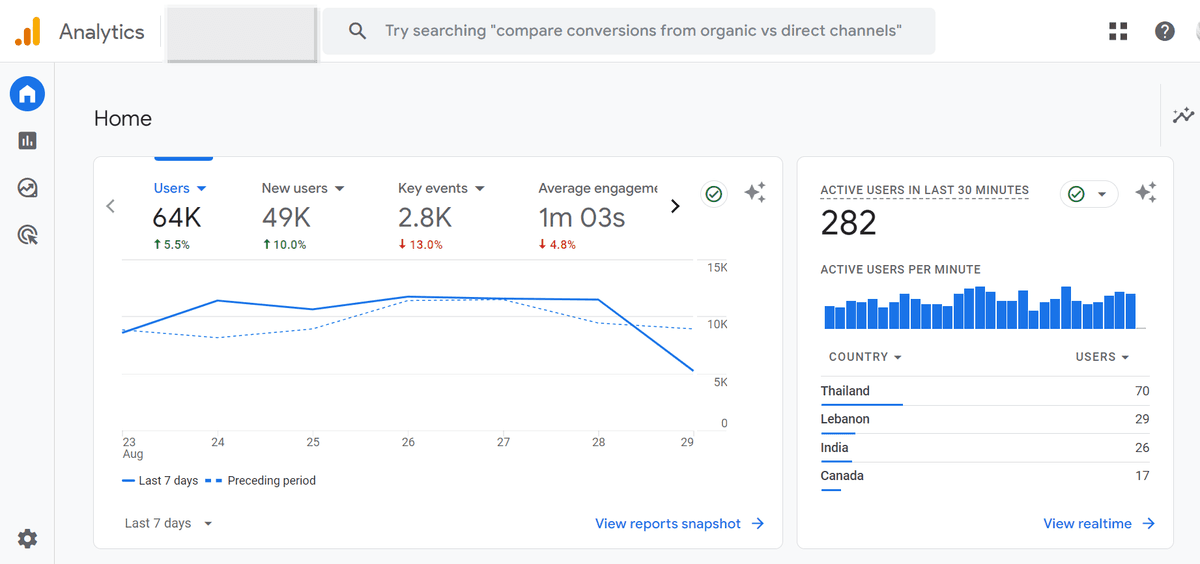
Despite being the basic option, it offers a range of features that can help you gain valuable insights into your audience and their behavior.
- Live Tracking and Custom Reporting: With the free plan, Google Analytics 4 (GA4) lets you monitor your site, social media, and app traffic in real-time. You can see who's visiting your site and what actions they're taking. GA4 also offers customizable reporting, allowing you to tailor reports to your needs. Whether you choose from the available templates or build one from scratch, you have the flexibility to present your data in a format that works best for you.
- Lead Conversion Tracking: GA4's Key Events feature enables you to track specific actions, such as email sign-ups or purchases, and monitor conversion rates. This is especially useful if you're running a marketing campaign and want to see how many visitors are converting into leads or customers.
- Audience Analysis and Segmentation: GA4 provides detailed information about your site's visitors, including their location, the devices they use, and how they found your site. You can segment your audience based on these demographics, giving you the data needed to target your marketing efforts more effectively.
- Integration With Other Google Apps: GA4 seamlessly integrates with other Google products like Search Console, Ads, and Adsense, all at no additional cost. This makes it easier to manage your marketing efforts across multiple platforms within Google's ecosystem.
But there are a few limitations with the free plan that might be a dealbreaker for growing businesses:
- Limited Number of Hits: The free plan maxes out at 10 million hits per month, which could be limiting if your site gets a lot of traffic. A 'hit' is any interaction a user has with your site, so even one visit can rack up multiple hits.
- Data Sampling: Once your site hits 500,000 sessions, Google starts sampling your data, meaning only the first 500,000 sessions are fully processed. This can lead to incomplete or inaccurate data, especially for bigger sites.
- Delayed Data Reporting: Data processing on the free plan can be a bit slow sometimes, with reports sometimes delayed by up to 48 hours. This is typically not a serious problem, but it might not cut it if you need real-time data to make decisions on the go.
For a new site or a small business, the free plan is often enough. Once those limits start biting, GA360 is the official upgrade path. Or you look elsewhere.
Google Analytics Premium Plan
GA360 is what larger companies use when the free plan runs out of room. It's the same product with higher ceilings: more hits, less sampling, faster processing, and deeper integrations across Google's enterprise ad stack.
Pricing isn't listed on a public page. According to the Google Analytics Community, GA360's retail price runs between $150,000 and $200,000 per year depending on your traffic and what you negotiate.
Yes, I know. That's serious money.
So, what do you get for that kind of money?
- Higher Threshold for Data Sampling: GA360 significantly reduces the chance of data errors by starting data sampling at 100 million sessions, giving you a much clearer picture of your site's performance.
- Increased Hit Limits: With the premium plan, you get up to 1 billion hits, perfect for sites with heavy traffic.
- Faster Data Processing: GA360 speeds things up with reduced processing latency, so you can get important metrics within an hour.
- Advanced Google App Integrations: The premium plan takes app integrations to the next level, offering connections with tools like Campaign Manager 360, Display and Video 360, and Search Ads 360.
- Enhanced Training and Support: You also get more access to training materials and better customer support from experts.
- Detailed Audience Segmentation: GA360 allows for more precise audience segmentation, helping you dive deeper into user behavior.
- Access to Rolled-Up Data: This feature lets you compile metrics from different data sources into one comprehensive report.
- Custom Funnels with Extra Capabilities: GA360 gives you advanced custom funnels to better track and understand your customers' actions.
- Advanced Attribution Modeling: You'll also benefit from advanced attribution modeling and analytics, helping you gauge the effectiveness of your marketing channels.
- More Custom Dimensions: GA360 offers up to 200 dimensions for data customization, compared to just 20 on the free plan.
The base price isn't the whole story. A few extras often add up:
- Setup Costs: Moving to and setting up GA360 can incur additional expenses. Since Google typically outsources migration to agencies, you'll need to hire a certified agency to help you with this, and the cost depends on what they charge.
- BigQuery Integration: If you want access to raw, unfiltered data, connecting GA360 to BigQuery is the way to go. However, this will incur extra costs.
- Server-Side Implementation: Opting for server-side implementation can reduce data latency but will also mean paying for the Google Cloud Platform, which could average around $1,000 per month.
- Management Costs: Finally, don't forget about the cost of managing the software. GA360 can be complex, so hiring a professional or training someone on your team is often necessary and will come at a price.
GA360 is expensive, plain and simple. There's no fixed public price, and most teams that go this route end up paying well beyond the base contract.
Is a Google Analytics Premium plan worth it?
Depends on your business needs. But over 90 percent of Google Analytics users stay on the free version, even with GA360 on the table.
If you want advanced features without a six-figure contract, you have options. Google Analytics has the most market share, but it isn't the only tool in the toolbox. Most businesses switch to a Google Analytics alternative when the free plan stops being enough and GA360 isn't realistic.
Fathom is popular. Plausible has been picking up traction too. Neither has a permanent free tier, so past the trial you're paying. Both also skip some metrics you'd want for deeper audience analysis. We compared Fathom to GA4 in our Fathom Analytics review if you want the side-by-side.
Let's Talk Seline: The Ideal Google Analytics Alternative
If GA360 pricing and GA4 complexity have you looking around, Seline is worth considering. It's a web analytics tool built around simplicity and privacy, without the enterprise price tag.
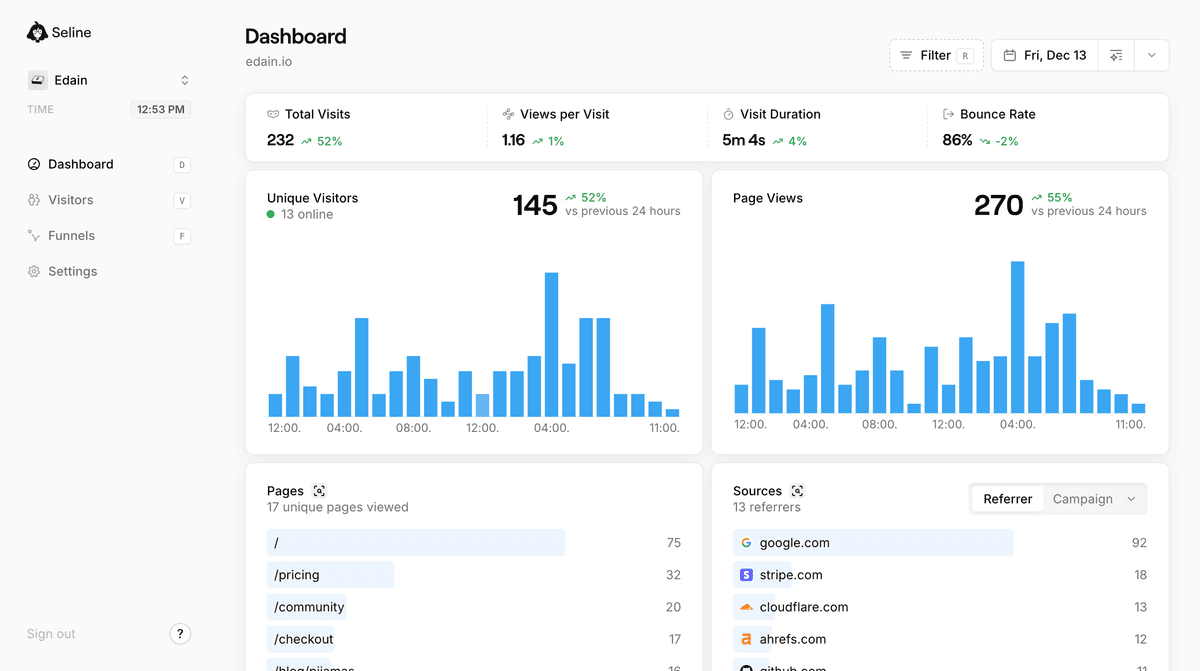
Seline has a 7-day free trial. Paid plans are flexible and start from as low as $9, with room to scale as traffic grows. Google Analytics brings complexity and privacy headaches along with the cost. Seline tries to fix both.
Have you used GA4? I've been on it for years, and setting it up on a new site can still feel like a project. Too many settings, too many reports, and if you're new to analytics you'll probably need a crash course before the dashboard clicks.
Seline keeps things minimal on purpose. Setup takes a few minutes. The metrics you actually care about are right there without digging through nested menus. You won't need to Google how to pull a basic report, which is half the GA4 experience for new users.
Privacy is another reason people switch. Google uses analytics data across its ad business. Seline doesn't use cookies at all, which sidesteps a lot of the consent banner mess, especially in Europe. Our GDPR guide for Google Analytics and cookieless analytics guide explain why that matters if you want the full picture.
On the analytics side, Seline covers the core job well. Visitor journeys show where people convert and where they drop off. You get profile snapshots that give you a readable view of audience behavior without wading through ten reports.
It also handles funnel analysis without the setup overhead. You can track where users enter, where they leave, and where they convert, then adjust content and campaigns based on what the data actually shows.
If you want analytics that stays simple, respects privacy, and doesn't require enterprise budget, Seline is worth a try. The free trial lets you see how it feels on your own site before you commit.